One of the issues we face in WebView is the ERR_UNKNOWN_URL_SCHEME error when different URL schemes are not supported by your WebView. Whether it’s happening on your own webpage or someone else’s, it’s still a bad user experience.
I’ve already discussed this in my Android WebView guide. So today, I’m going to discuss this in detail and show you the latest solution.
Because from Android 11, our app cannot completely see or query all the other apps installed on the device. This is actually done for user privacy, and Google also provides a way to handle this by using the
So, we will learn about resolveActivity, the
So, I’ve already created an Android project, and I’ve also created a demo.html file with most of the schemes that can be useful, and I’ve placed it inside the `assets` directory.
I’m using findViewById, not View Binding or Data Binding, so the process can be simpler and easier for you.
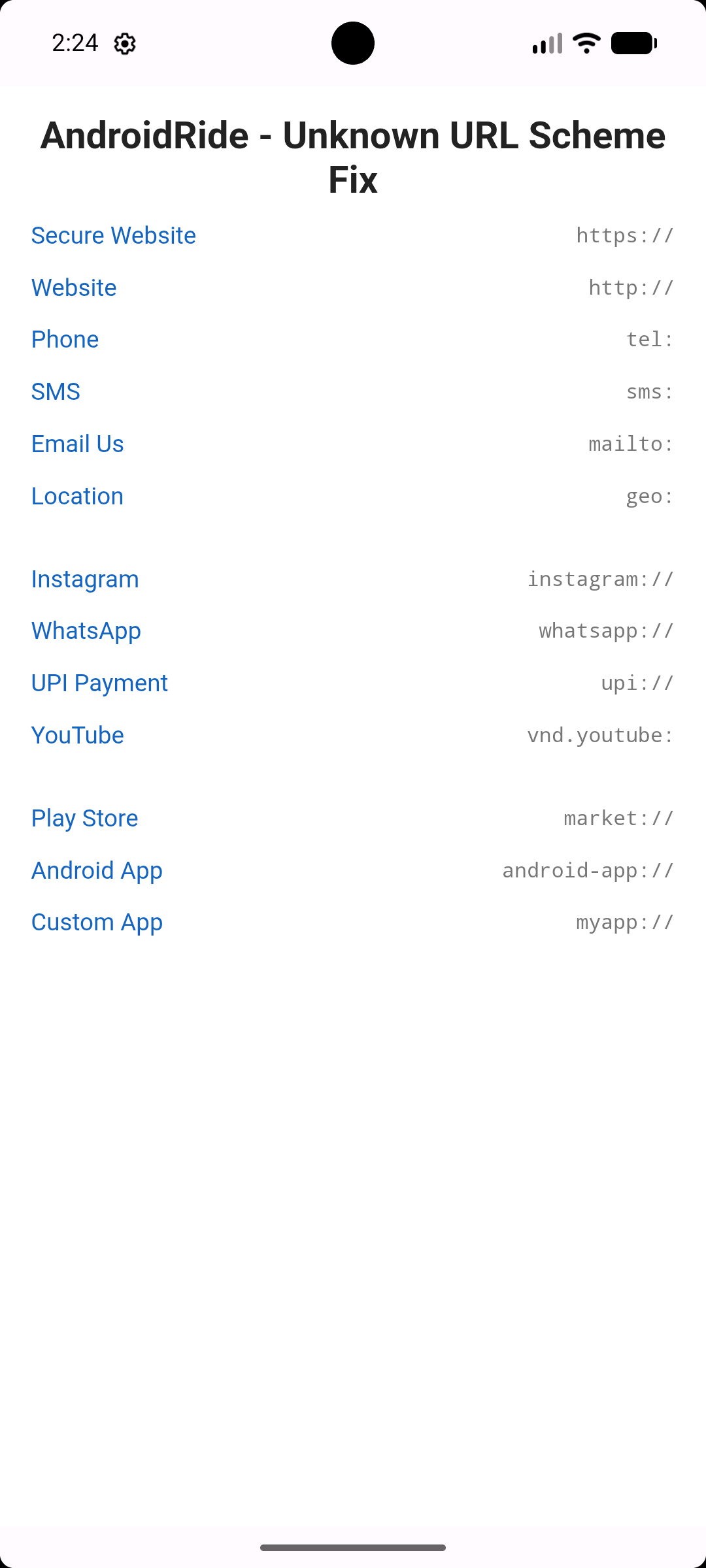
What we’ll build today
demo.html
Android URL Schemes
- By default, Android WebView supports http and https schemes. The problem occurs when the scheme is not related to a webpage, like tel, whatsapp, instagram, UPI, and more.
- Here, I created style resources for formatting the scheme text and URL text.
- The android-app scheme is used to open a specific app by using its package name.
- UPI schemes are one of the commonly used schemes for making UPI payments.
- vnd.youtube+YOUTUBE_ID is the way to create a YouTube video scheme URL.
package com.ar.errorunknownschemewebviewandroid


import android.annotation.SuppressLint
import android.content.Intent
import android.net.Uri
import android.os.Bundle
import android.webkit.URLUtil
import androidx.appcompat.app.AppCompatActivity
import android.webkit.WebView
import android.webkit.WebViewClient
import android.webkit.WebResourceRequest
import android.webkit.WebSettings
import android.widget.Toast
import androidx.activity.enableEdgeToEdge
import androidx.core.view.ViewCompat
import androidx.core.view.WindowInsetsCompat

class MainActivity : AppCompatActivity() {

    lateinit var webView: WebView

    override fun onBackPressed() {
        if (webView.canGoBack()) {
            webView.goBack()
        } else {
            super.onBackPressed()
        }
    }

    @SuppressLint("MissingInflatedId")
    override fun onCreate(savedInstanceState: Bundle?) {
        super.onCreate(savedInstanceState)
        enableEdgeToEdge()
        setContentView(R.layout.activity_main)
        ViewCompat.setOnApplyWindowInsetsListener(findViewById(R.id.main)) { v, insets ->
            val systemBars = insets.getInsets(WindowInsetsCompat.Type.systemBars())
            v.setPadding(systemBars.left, systemBars.top, systemBars.right, systemBars.bottom)
            insets
        }

        webView = findViewById(R.id.webView)
        webView.loadUrl("file:///android_asset/demo.html")
        webView.webViewClient = MyWebViewClient()


        webView.settings.apply {
            javaScriptEnabled = true
            domStorageEnabled = true
            loadsImagesAutomatically = true
            mixedContentMode = WebSettings.MIXED_CONTENT_ALWAYS_ALLOW
        }

    }

    inner class MyWebViewClient : WebViewClient() {

        @Deprecated("Deprecated in Java")
        override fun shouldOverrideUrlLoading(view: WebView?, url: String?): Boolean {
            return handleUrl(url)
        }

        override fun shouldOverrideUrlLoading(view: WebView?, request: WebResourceRequest?): Boolean {
            return handleUrl(request?.url.toString())
        }

        private fun handleUrl(url: String?): Boolean {
            if (url.isNullOrEmpty()) return false

            // Let WebView handle normal web links
            if (URLUtil.isNetworkUrl(url)) {
                return false
            }

            if(url.startsWith("myapp")){
                val intent = Intent(this@MainActivity, SecondActivity::class.java)
                startActivity(intent)
                return  true
            }

            try {
                val intent = Intent(Intent.ACTION_VIEW, Uri.parse(url))

                if(intent.resolveActivity(packageManager)!= null){
                    startActivity(intent)
                }
                else
                {
                    Toast.makeText(baseContext, "No app found to open this link", Toast.LENGTH_SHORT).show()
                }

            }
            catch (e: Exception){
                Toast.makeText(baseContext, "Exception: inside exception", Toast.LENGTH_SHORT).show()
            }

            return true
        }
    }

}
- Here, I used MyWebViewClient, a subclass of WebViewClient, and overrode the shouldOverrideUrlLoading method. The old method was deprecated in API 24, and the latest version with WebResourceRequest is called before loading the URL in the WebView.
- So, this is where our app gets control over the URL or scheme.
- We will use a separate method called handleUrl, and we will handle our fixes here.
- Returning false means let the WebView take care of the URL, and true means let our app take care of it.
- resolveActivity() is used to check whether an app is available without getting an ActivityNotFoundException. If it is not null, we can call the startActivity() method to launch it.
AndroidManifest.xml
- We need to provide the <queries> element to add the package name or Intent signature so Android can find the apps that our app needs to interact with.
- In the Intent signature, we need to provide the action and scheme data.
- We put a separate Intent filter to handle the myapp scheme.
Thats all for now.
